Phil Wylie

WordPress developer, Code Club volunteer & Staffs Web Meetup organiser

WP Contributor Day, Manchester

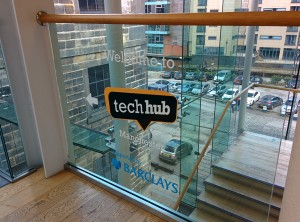
TechHub Manchester signageI spent my Saturday at the first WP Contributor Day. Sold as “An one day event where anyone & everyone contributes to WordPress”. The event, held at TechHub, Manchester was setup and organised by Jenny Wong following a discussion at WordCamp London 2013.

Often, knowing where to start is a challenge. And WordPress is no different. It’s a giant project and for me, I saw this day as an opportunity to push me to finally get involved. It was kicked off by an introduction from Jenny, followed by talks from WordPress co-founder Mike Little and web accessibility expert Graham Armfield.

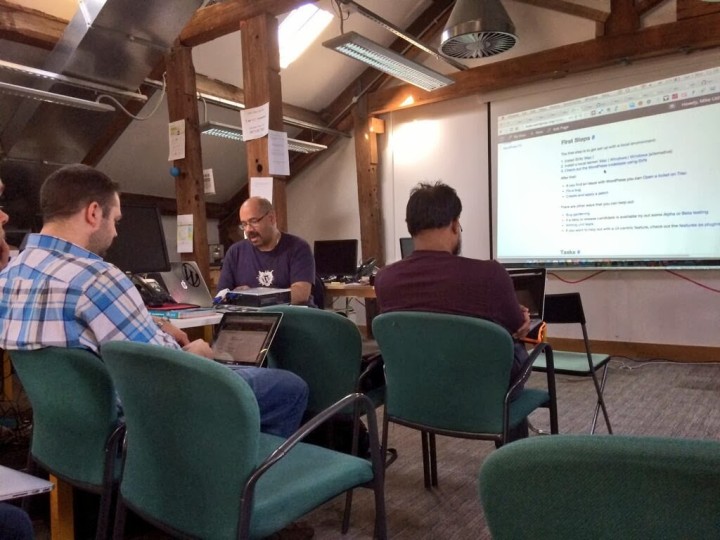
Setting up Varying Vagrant Vagrants with assistance from Mike LittleFollowing the talks, we split into groups. Mike Little introduced Vagrant, and in particular the Varying Vagrant Vagrants (VVV) project. The setup gives developers a kickstart in getting WordPress running locally (without the need to upload files to a hosting account).

Feeling pumped and definitely over-confident, already having used a VVV setup for a while, I sat with a group of developers and looked through Trac for a suitable challenge to tackle. I felt a bit lost to be honest. There were four unclaimed “Good First Bugs” (which taking a look after the event, I see that they all remain unclaimed). I had the same issue Mike experienced earlier during his introductory talk. Reading the history of each ticket lead to a dead end, either the ticket had been actioned or it was questioned whether a fix was even required.

I felt like I was missing a step in between and quickly jumped ship, joining up with a group lead by Graham Armfield looking at accessibility in WordPress. This proved immensely useful. Graham guided us through Trac, looking at a number of issues he’d raised. He shared and demonstrated some of his vast knowledge of the world of accessibility followed by an introduction to his SVN workflow, downloading and applying patches to his local copy of WordPress to test whether an issue had been resolved. Unfortunately, none of the patches could be applied! Despite the fact he’d picked out the tickets in advance, the WordPress codebase moves so fast that all the patches resulted in merge conflicts. However, it was potentially more valuable to see Graham go through a less than perfect example to see the process. In this case, Graham updated the tickets, asking for the patches to be refreshed.

As someone who generally needs a push to get involved, a contributor day is a daunting prospect. However, I got into the flow and found my feet. The day was relaxed and everyone very welcoming and friendly. I look forward to future events and getting involved in WordPress development.

Could future events be even better for people like myself? I guess it comes down to the intended focus, contributing to WordPress or spreading knowledge and introducing beginners into the loop (there’s a WordPress pun in there somewhere). I believe we can have both. Perhaps future events could use more structure. A system of buddying beginners with more seasoned developers, with more “Good First Bugs” or a selection of Trac tickets reviewed beforehand, giving beginners a chance to get stuck in.

Overall the day was enjoyable and there were wins for WordPress. I believe Jenny has been roped into organising another Manchester contributor day and she’s keen for the model to spread to other areas to get more passionate people involved in contributing to WordPress.

Thanks again to the event sponsors, WP Site Care, Delicious Media, Sergey Biryukov, Pressware and especially Human Made who I believe also supplied the pizza! Also, thanks to Tom J Nowell for this post’s featured image!

For more ramblings, follow me on Twitter.
Launching a WordPress plugin

Plugin Lettering, written with Chalk on Blackboard
This is a post written for the iWeb blog after launching iWeb’s first public WordPress plugin. The snappily named Background Update Notification Email Address plugin is not only iWeb’s first public plugin, but also my first plugin published on the WordPress plugin repository. In the blog post I discuss the problem solved and the process taken to get the plugin published. Rather than take the Ronseal naming approach, I must try harder next time and come up with something a little shorter!

Last week, we launched iWeb’s first plugin to the official WordPress plugin repository. At iWeb, we manage hundreds of WordPress sites, providing backup, updates for WordPress core and plugins as well as other maintenance tasks. Background Update Notification Email Address is our plugin aimed at those who, like us, manage WordPress on their clients behalf…

Launching a WordPress plugin

Making friends with your customers

Chalk drawing - Social media concept
This is a post written for the iWeb blog. I’m told if you can get past the spammy first paragraph (which, believe it or not, I wrote voluntarily) there’s some good stuff in there… The post aims to give the reader a brief overview of corporate social media marketing with an example of both good and bad Twitter usage. A number of suggestions and ideas for generating content to foster discussion.

Magento is a powerful open source ecommerce platform which iWeb has spent many years mastering. Every project combines iWeb’s 18 years of experience. By taking the time to tune our Magento toolkit and workflow, we build effective, conversion optimised profitable stores. But once your store goes live, are you doing everything you can to promote your site in the vastness…

Making friends with your customers

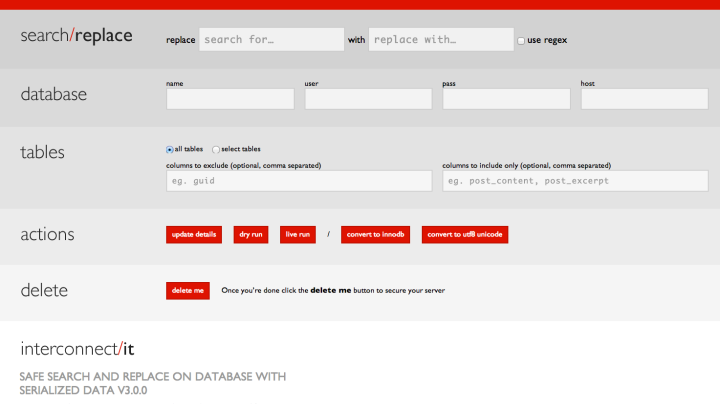
Moving WordPress with a safe search and replace tool

This is a post I wrote for the iWeb blog looking at interconnect/it’s safe search and replace tool. A handy script used while moving WordPress from one location to another. The script performs a find and replace on the database without breaking the integrity of serialised data.

WordPress generates and stores absolute URLs in it’s database. This makes it difficult to move between staging and production or simply changing its location. Today we’ll be taking a look at one of the tools we use at iWeb. interconnect/it’s safe search and replace tool which updates hardcoded links in the database and in our opinion makes working with WordPress easier. Why does WordPress…

Moving WordPress with a safe search and replace tool

Exclude your plugin from update checks in WordPress 3.7

In order to keep your plugins up-to-date, WordPress sends information about all it’s plugins (including any inactive ones) to WordPress.org. There are concerns around the information sent as it includes details on each plugin’s developer including name and website address. While not much of a privacy issue for public plugins, there are implications for plugins custom written for specific clients.

The information is used to check if a plugin exists in the WordPress.org repository. If a plugin with the same name and a later version number exists, WordPress will dutifully offer to update/overwrite the installed plugin. A potentially disastrous situation for any custom plugins given a generic sounding name.

Maybe just something to consider for the paranoid. This also introduces the possibility of targeting users of externally hosted plugins such as those only available on GitHub by releasing an identically named WordPress.org plugin. It has been done before. As pointed out by Joost de Valk, each plugin is reviewed before being accepted into the plugin repository and any bad plugins would no doubt be identified and removed.

Mark Jaquith wrote up a solution back in 2009 which included a snippet plugin authors could incorporate into their code to remove their plugin from the list sent to WordPress.org. However, changes in WordPress 3.7 require the snippet to be updated. The format of the update check has been changed from XML to JSON and is now sent over an SSL connection.

The following snippet has been updated to reflect these changes and should be included in the main plugin file or updated to reference the path to the plugins main file relative to the plugins directory (e.g. plugin-dir/plugin-file.php).

I’ve touched on the privacy concerns around the information sent to WordPress.org which from WordPress 3.7 is now encrypted. Looked at the possibility of accidentally overwriting custom written plugins and gone over one of the solutions to prevent WordPress from updating your own custom plugins. If it’s all a bit too much, Dinesh Karki has an alternative solution with his plugin Block Plugin Update which has a nice interface for selecting which plugins to exclude from the update check.

Newer Posts
Older Posts